
The Video Interview: A Candidate’s Guide to Looking and Sounding Your Best on Camera
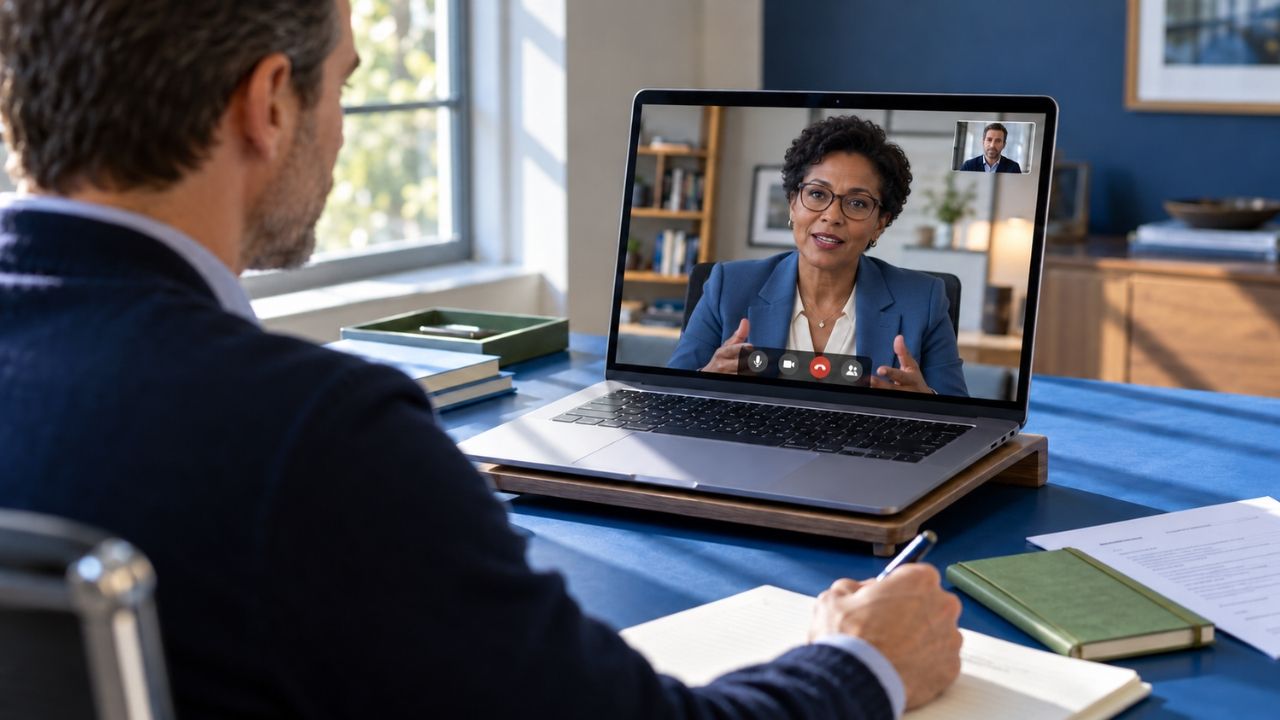
A video interview is now a normal part of hiring, and for many candidates it is the first time an employer sees them. The format removes the commute, yet it adds new details to manage, such as lighting, sound, and a camera that never blinks. Candidates who treat the screen as a stage tend to come across as polished. Candidates who treat it as a casual chat often lose points before the first question.
This guide explains what a video interview is, how live and recorded versions differ, and how to set up the space. It also covers common questions, how to handle technical problems, and what to do afterward.
What Is a Video Interview?
A video interview is an interview conducted through a camera and a screen instead of in the same room. Employers use it at almost every stage, from the first recruiter conversation to the final executive round. It saves travel time, and it lets companies meet candidates in other cities. Many teams that hire remote workers rely on it for the whole process.
Two formats are common. In a live video interview, the candidate talks with one or more interviewers in real time on a platform such as Zoom, Microsoft Teams, or Google Meet. In a one-way video interview, the candidate records answers to preset questions, and the employer watches them later. Each format asks for slightly different preparation, so it helps to know which one is on the calendar.
Live Video Versus In Person
The questions are usually the same. The delivery is what changes. Body language reads differently on camera, since interviewers see only a head and shoulders. Small delays in the connection can cause people to talk over one another. Energy can also come across as lower through a screen, so a flat, quiet answer can sound disengaged even when the content is strong.
Candidates can adjust for this. Speak slightly more slowly and clearly than usual. Pause briefly before responding, because lag can cut off the first words of an answer. Use natural hand gestures that stay inside the frame, and smile when it fits. These small habits replace the warmth that a handshake would normally carry.
How to Set Up Your Space
Technology problems are the easiest mistakes to prevent. A short setup routine a day or two before the interview covers most of them.
Test the equipment. Check the camera, microphone, speakers, and internet connection. Run a test call with a friend, and install or update the platform the employer plans to use. A laptop or tablet on a stable surface works better than a phone held in one hand.
Fix the lighting. Face a soft, bright light source, such as a window or a lamp placed behind the screen. A bright window behind the candidate turns the face into a shadow, so avoid that setup.
Set the camera at eye level. Raise a laptop on a stack of books if needed. A camera that looks up from below, or down from above, is unflattering and distracting.
Choose a quiet, tidy background. A plain wall or an orderly bookshelf works well. Turn off notifications, close extra tabs, and let others in the home know when the interview starts. If a blurred background is needed, test it first, since some filters make edges flicker.
Dress fully. Choose the same outfit that would be worn in person, including the lower half. Plain, solid colors usually look best on camera. Dressing completely also helps the candidate feel focused.
Eye Contact and Body Language
The hardest habit on video is eye contact. Looking at the interviewer’s face on the screen makes the candidate appear to look away. Looking into the camera lens creates the sense of direct eye contact. A practical approach is to look at the lens while giving the main point of an answer, and glance at the screen when listening.
Posture matters too. Sit upright, keep both feet on the floor, and stay centered in the frame. Avoid rocking in a chair or leaning toward the screen. Keep a small note beside the camera listing the interviewers’ names and two or three key points, but avoid reading from it.
Common Video Interview Questions
Video interviews use the same questions as any other format. The recruiter, hiring manager, panel, and executive rounds each have their own typical set, and the guides linked below cover them. Expect versions of the following on a video call.
- “Tell me about yourself.”
- “Why are you interested in this role?”
- “Tell me about a time you handled a disagreement with a coworker.”
- “How do you stay organized and productive when you work remotely?”
- “Tell me about a time you worked with a team you rarely saw in person.”
- “What would your first 30 days in this role look like?”
- “Do you have any questions for me?”
Remote work questions come up more often on video, especially when the role is hybrid or fully remote. A strong answer describes real habits, such as how the candidate plans the day, communicates with teammates, and keeps projects moving without constant supervision. Many of these are also behavioral questions, which ask about real situations from the past. The STAR method, covering Situation, Task, Action, and Result, gives answers a clear shape. How to answer behavioral interview questions explains how to use it without sounding scripted.
What Is a One-Way Video Interview?
A one-way video interview, sometimes called a recorded or asynchronous interview, has no live interviewer. The employer sends a link, and the candidate records answers on a laptop or phone. Questions usually appear one at a time, each with a short window to think and a time limit to answer. Platforms differ on retakes, with some allowing a second try and others recording only the first.
Employers use this format to screen many candidates quickly, and recruiters can review the recordings when it suits them. For the candidate, the experience feels odd, because there is no one to react to a joke or a long pause.
A few habits help. Read the invitation closely for deadlines, time limits, and retake rules. Use any practice question to learn the controls. Treat the thinking time as planning time, and choose one clear example before the timer starts. Speak to the camera as if talking to a person, and keep answers inside the time limit so the final point is not cut off. Before submitting, confirm that every answer recorded.
Some employers also use software that analyzes recorded answers. This practice is controversial, and the details vary by company. What candidates should know about AI in the hiring process explains how these tools work. The practical advice stays the same: speak clearly, stay professional, and answer the question asked.
Handling Technical Problems
Even well-prepared candidates face glitches. A frozen screen, a dropped call, or a loud delivery truck can interrupt the best interview. The response matters more than the problem.
Stay calm and say what is happening, such as “I’m sorry, my connection seems unstable. May I rejoin?” Keep the interviewer’s phone number or email handy, and ask the recruiter beforehand what to do if the link fails. A backup plan, such as a phone hotspot or a second device, takes only a few minutes to arrange. Interviewers usually understand, and a calm recovery shows composure.
Questions to Ask in Return
Most video interviews end with time for questions. Prepare a few, and write them where they can be seen without looking down. Good options include the following.
- “How does the team communicate day to day, and how often does it meet on video?”
- “What does success look like in the first 90 days?”
- “How does this team handle remote or hybrid schedules?”
- “What are the next steps, and when should I expect to hear back?”
Questions candidates should ask during an interview offers more ideas.
Follow Up After the Interview
Send a short thank-you email within a day. Mention one specific topic from the conversation, restate interest in the role, and add any thought that came to mind afterward. If the interviewer gave a timeline, follow it. If not, a polite check-in after a reasonable wait is appropriate.
The call also reveals things about the employer. A late start, a distracted interviewer, or a rushed process can be early signals. Interview red flags candidates should never ignore explains how to read the overall pattern.
Common Mistakes to Avoid
A few missteps appear again and again on video. Candidates sometimes join late, sit in poor lighting, or leave notifications on. Others read from a script, look away from the camera, or interrupt because of lag. Eating or multitasking during the call counts against a candidate, and so does an unprofessional username or background.
Preparation prevents nearly all of these. A candidate who tests the setup, practices on camera, and treats the call as a full interview stands out.
Where the Video Interview Fits in the Process
A video call can carry any stage of the process. It often hosts the recruiter phone screen and the hiring manager interview. Later rounds may include a panel interview and, for senior roles, an executive interview. Many technical interviews run over video too, and the technical interview guide explains those formats. The general steps in how to prepare for an interview apply to every one of them. The complete interview guide walks through each stage.
Putting It All Together
A video interview rewards preparation. The questions are familiar, so the advantage comes from setup, delivery, and calm problem solving. Candidates who test their equipment, light their face, look into the camera, and follow up with care come across as organized and professional. A good video interview also tells the employer that the candidate will work well in a remote or hybrid setting.
Related Resources